
How to Build a Small Business Website Without Hiring a Developer


Published on 10/1/2026
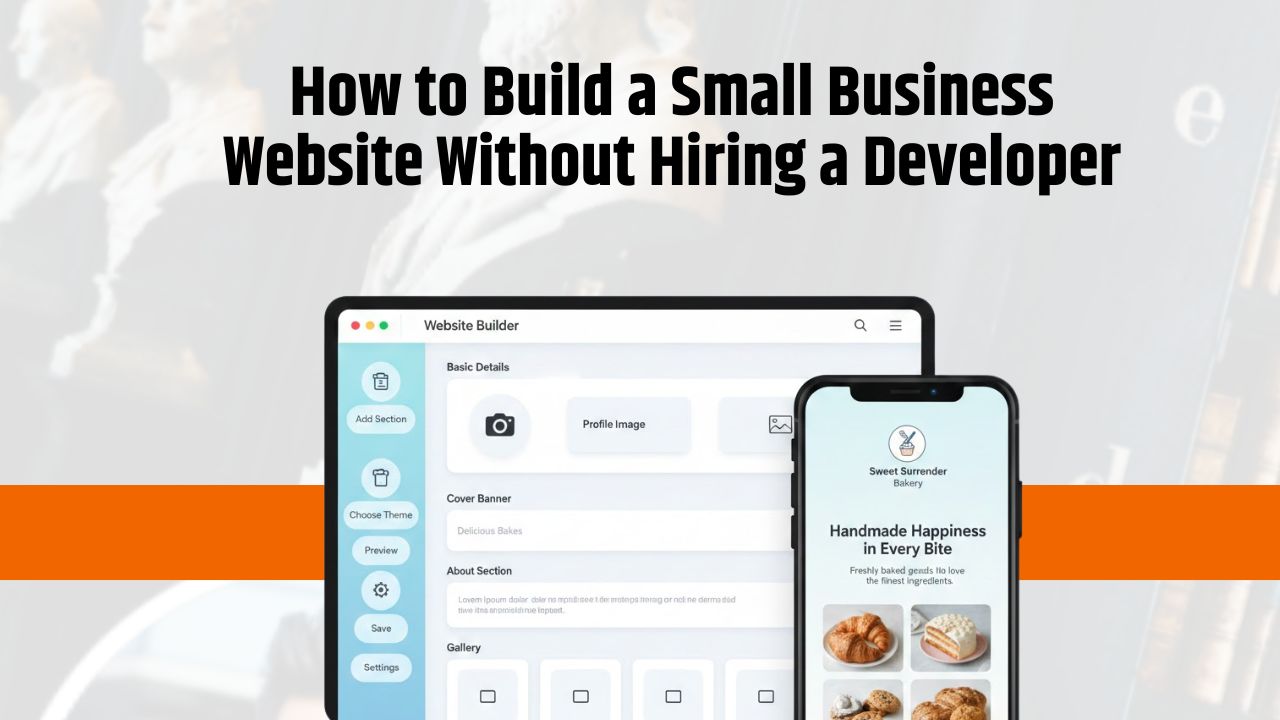
Building a website once meant dealing with developers, technical jargon, and high costs. Today, that reality has completely changed. Small business owners, freelancers, and service providers can now create professional websites on their own—without writing a single line of code. The key lies in understanding the process, choosing the right tools, and focusing on clarity rather than complexity.
This guide walks you step by step through how to build a small business website without hiring a developer, while keeping it practical, affordable, and easy to manage.
Why Every Small Business Needs a Website Today
Customer behaviour has shifted permanently online. Before calling, visiting, or buying, people search. They look for information, reviews, services, pricing cues, and contact details. If your business does not appear online with a clear presence, you risk losing trust before the first interaction even happens.
A website helps in multiple ways:
- It builds credibility and legitimacy
- It improves visibility on search engines
- It supports lead generation and enquiries
- It explains your offerings clearly
- It works as a 24/7 salesperson, even when your office is closed
For small businesses, a website is no longer an “extra.” It is a basic digital asset that supports growth, trust, and customer confidence.
Common Myths About Building a Website Without a Developer
Many business owners delay building a website because of outdated assumptions. Let’s clear them up.
You need coding knowledge
Modern website builders are designed for non-technical users. Everything works visually, with simple editing tools.
Websites are expensive
You no longer need large budgets. Many platforms offer affordable yearly plans that include hosting, templates, and tools.
Maintenance is complicated
Most updates involve changing text, images, or links—tasks that take minutes, not hours.
Only large businesses need websites
In reality, small businesses benefit the most. A simple website levels the playing field and makes you discoverable.
Step 1: Define Your Website Goal
Before choosing any platform or design, decide why you want a website. Your goal determines the structure, pages, and tools you need.
Common website goals include:
- Business visibility and online presence
- Lead generation through enquiries
- Selling products or services
- Customer support and communication
- Brand credibility and trust-building
A business focused on enquiries may need fewer pages but stronger calls-to-action. A service provider may focus on credibility and contact options. Clear goals prevent unnecessary features and confusion later.
Step 2: Choose the Right Website Builder
Website builders allow you to create pages using drag-and-drop tools instead of code. The right builder makes the entire process smoother.
Popular builder types include:
- Drag-and-drop editors
- No-code platforms designed for beginners
- Mobile-first builders for smartphone users
Features to Look For
When selecting a builder, ensure it offers:
- An easy visual editor
- Mobile responsiveness by default
- Basic SEO settings for pages
- Fast and reliable hosting
- Secure payment options if you plan to sell
A good builder reduces technical dependency and gives you confidence to manage the site yourself.
Step 3: Select a Domain Name and Hosting
Your domain name is your digital identity. It should be simple, memorable, and aligned with your business name or service.
Tips for choosing a good domain:
- Keep it short and easy to spell
- Avoid numbers and hyphens
- Make it brand-friendly and professional
- Prefer names that reflect your business or service
Most modern website builders include hosting along with the domain, which removes the need to manage servers or technical configurations.
Step 4: Pick a Ready-Made Template
Templates give your website a professional structure from day one. Instead of starting from scratch, you customise an existing layout.
Choose templates that are:
- Industry-relevant
- Clean and clutter-free
- Easy to read and navigate
- Optimised for speed
Simple layouts perform better than flashy designs. Readability, spacing, and clarity matter more than visual overload.
Step 5: Create Essential Pages
Every small business website should cover basic information clearly and quickly.
Home Page
Your home page should immediately answer:
- What do you do?
- Who is it for?
- What should the visitor do next?
Include a clear value proposition and a strong call-to-action.
About Us
This page builds trust. Share your story, experience, values, and purpose. Authenticity matters more than formal language.
Services or Products
Explain what you offer in simple terms. Focus on benefits, outcomes, and solutions—not just features.
Contact Page
Make it easy to reach you. Include:
- Phone number
- Location (if relevant)
- WhatsApp or enquiry form
Step 6: Make Your Website Mobile-Friendly
Most users browse websites on mobile devices. A site that works well only on desktop will lose attention quickly.
Modern builders automatically optimise layouts for mobile screens. Still, you should:
- Preview pages on mobile
- Keep text readable
- Avoid heavy images
- Ensure buttons are easy to tap
Fast loading and smooth scrolling directly impact user experience.
Step 7: Add Basic SEO Settings
Search visibility starts with simple SEO setup. You don’t need advanced techniques to begin.
Focus on:
- Clear page titles and descriptions
- Clean and readable URLs
- Image alt text for accessibility
- Local keywords related to your service
These small steps help search engines understand your website better and improve discoverability.
Step 8: Integrate Lead and Sales Tools
A website should support interaction, not just display information.
Useful tools include:
- Contact and enquiry forms
- WhatsApp chat integration
- Payment gateways for services or products
- Google Maps for location
- Social media links for credibility
Choose tools that support your business goal without overwhelming visitors.
Step 9: Preview, Test, and Publish
Before going live:
- Check the site on mobile and desktop
- Test all forms and buttons
- Review spelling and content flow
- Ensure contact details are correct
A short testing phase prevents common mistakes and improves first impressions.
Step 10: Maintain and Update Easily
One of the biggest advantages of no-code websites is easy maintenance.
You can:
- Edit content anytime
- Add new services or products
- Update images, offers, or details
- Keep information current
Regular updates improve trust and keep your website relevant.
Benefits of Building a Website Without a Developer
- Lower overall cost
- Full control over content and updates
- Faster launch timelines
- No technical dependency
- Easy scalability as your business grows
For small businesses, this approach is both practical and sustainable.
Common Mistakes to Avoid
- Overloading pages with too much content
- Ignoring mobile user experience
- Missing or unclear calls-to-action
- Using slow, heavy images
- Leaving the website outdated
Simplicity and clarity always perform better.
Final Thoughts
Building a small business website without hiring a developer is not only possible—it is practical in today’s digital environment. With clear goals, the right tools, and a structured approach, any business owner can create a professional online presence that supports visibility, trust, and growth. The focus should always remain on usability, clarity, and customer experience rather than technical perfection.
A Smarter Way to Build Your Website Without Complexity
A modern alternative to traditional websites is DigiBCard, which is not just a digital visiting card. It works like a mini website designed specifically for small businesses and service providers.
With it, users can:
- List products and services
- Add complete business details
- Set up basic SEO
- Share their website via link or QR code
- Accept payments, where applicable
It combines a website and digital card into one simple, manageable platform—ideal for small businesses, freelancers, and professionals who want an online presence without technical stress.
Ready to launch your small business website without complexity?
Choose a simple, no-code website builder and take full control of your digital presence. Start building today and get your business online in minutes.
Start One-Month Free Trial Now
Recent Posts

Top 10 Reasons to Switch to Digital Business Card
Published on 8/10/2024

How to Design Digital Business Cards In 4 Easy Steps
Published on 8/10/2024

Transform Your Networking with a Personalized Digital Business Card
Published on 10/10/2024

Top 5 Platforms to Set Up Your Digital Store Easily
Published on 19/11/2024